Services · DiazTech

Repair, setup, and real tech help

Phones, tablets, laptops, desktops, gaming setups, and everyday troubleshooting—with custom PC assembly, upgrades, and a free diagnosis before any repair work begins.

Every service is explained in plain language so you always know what is wrong, what it will take to fix, and what it is likely to cost before you approve the next step.

  • Free diagnosis
  • Many device types
  • Custom PCs & upgrades
Diagnosis first, always
No jargon walls
Approve before repair

Core support

Services tuned for the problems people hit every day.

From slow computers to mystery errors and full custom builds—these are the service lanes DiazTech is built around.

Performance & speed optimization

Ideal when things feel sluggish, freeze often, or take forever to open apps and files.

  • Startup app cleanup and tune-up
  • Storage, update, and background process review
  • System checks to improve everyday performance
  • Plain-language summary of what changed
All device repair & troubleshooting

Hands-on help for phones, tablets, laptops, desktops, and other personal tech that is not behaving.

  • Startup, crash, and error troubleshooting
  • Software, setup, and connectivity checks
  • Honest guidance if parts or replacement make more sense
  • Clear next steps before any work continues

Upgrades & custom PC assembly

More speed, more storage, or a ground-up desktop—planned around your budget and how you use the machine.

  • RAM, SSD, and component upgrade guidance
  • Custom PC part selection and assembly
  • Compatibility and budget recommendations
  • Setup help and performance tuning after the build

General tech support

For the “something is off” problems that are hard to Google—DiazTech digs in with patience and clarity.

  • Error message diagnosis
  • Internet and connectivity checks
  • Software setup and stability review
  • Explanations you can actually use

What to expect

Simple process. No confusing tech talk.

Whether it is a phone, tablet, laptop, desktop, or a custom PC, you get clear options before anything moves forward—no pressure, no surprises.

  1. Share the issue

    Send what you are seeing, the device type, and any error messages—screenshots welcome.

  2. Free diagnosis

    The situation is reviewed and likely causes are explained in plain language.

  3. Choose an option

    You receive a clear recommendation: repair, upgrade, tune-up, or leave it as-is.

  4. Approve the plan

    Nothing billable moves ahead until you understand the next step and agree to it.

Typical turnaround

  • Free diagnosis for every service
  • Most software cleanups: often within 1–3 days
  • Hardware upgrades depend on part availability
  • Pricing is confirmed before repair work begins

Turnaround and final cost can vary by issue, but the process stays simple and transparent end to end.

FAQ

Quick answers before you book.

Do you charge for diagnosis?

No. DiazTech currently offers free diagnosis so you can understand the issue first.

What types of devices do you work on?

DiazTech can help with phones, tablets, laptops, desktops, gaming setups, and other everyday tech devices.

Can you help with custom PC assembly?

Yes. DiazTech can help with part selection, compatibility guidance, assembly, and upgrade planning for custom PCs.

Service Area

Current local coverage

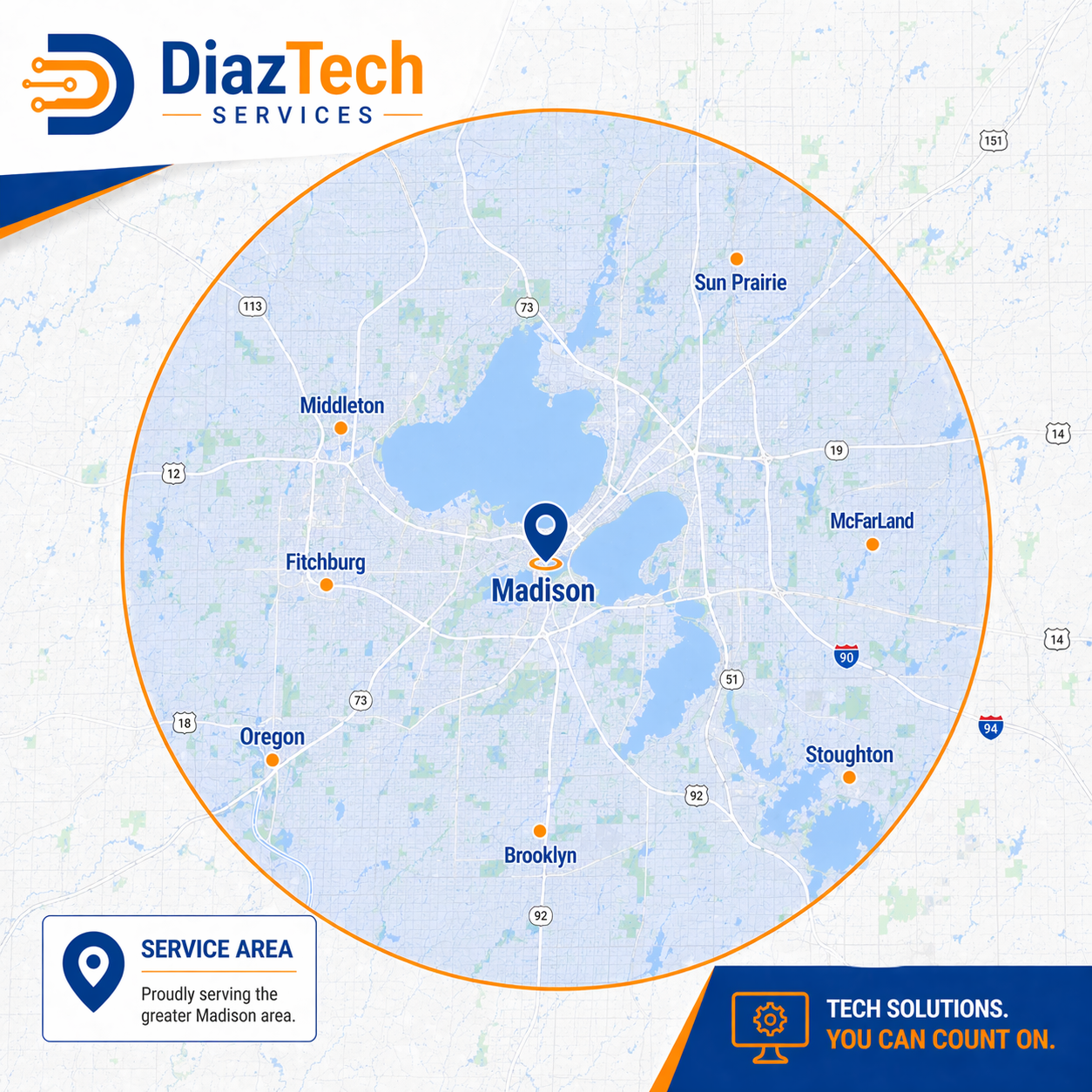
DiazTech currently serves the local area shown below. If you are nearby, send your issue details and you will get clear availability and next-step options.

  • Free diagnosis before paid work begins
  • Phones, tablets, laptops, desktops, and custom PC support
  • Straightforward quote and approval process
DiazTech local service area map
DiazTech primary service coverage area.

How DiazTech works with you

You should never feel rushed into a repair. The goal is a fix you understand, at a pace you are comfortable with, with communication that respects your time.

Need help now?

Start with a free diagnosis request.

If your phone, tablet, laptop, desktop, or custom PC is acting unusual, send the details and DiazTech will follow up with options.

  • Describe the issue in your own words
  • Include device type and age if you know it
  • Expect a thoughtful reply—not a copy-paste script

Request support

There is no cost to ask questions or get an initial diagnosis.

Request a quote View recent work